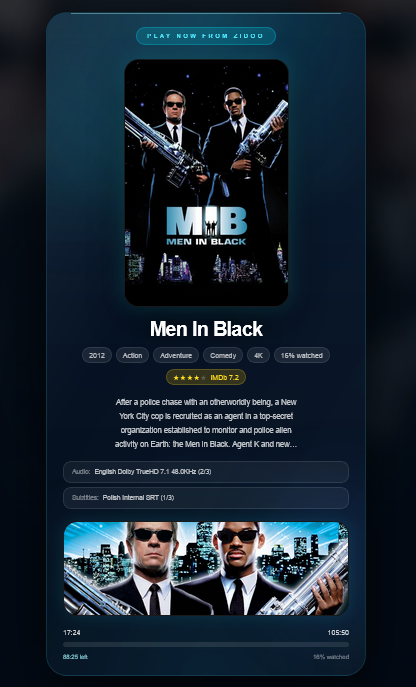
Live Play Now from your cinema source
Poster, metadata, progress, audio, subtitles and backdrop preview in one dedicated display.
Coming Soon
Thank you for your patience. We are working on the final polish now, and the app will be available very soon.
You can already explore what Poster Player will do, how it connects to your cinema sources and why any browser-based screen can become a cinematic Now Playing display.
Cinematic Now Playing Dashboard
Poster Player is a browser-based Now Playing display for home cinema rooms, media rooms and AV installers. It shows live movie posters, metadata, playback progress and Coming Soon artwork from sources such as Zidoo, Apple TV, Spotify and TMDb using a lightweight local bridge.
No powerful local hardware required. The lightweight bridge can run on modest local hardware, including Raspberry Pi, while the display runs beautifully on TVs, tablets, monitors or mini PCs.
Poster, metadata, progress, audio, subtitles and backdrop preview in one dedicated display.
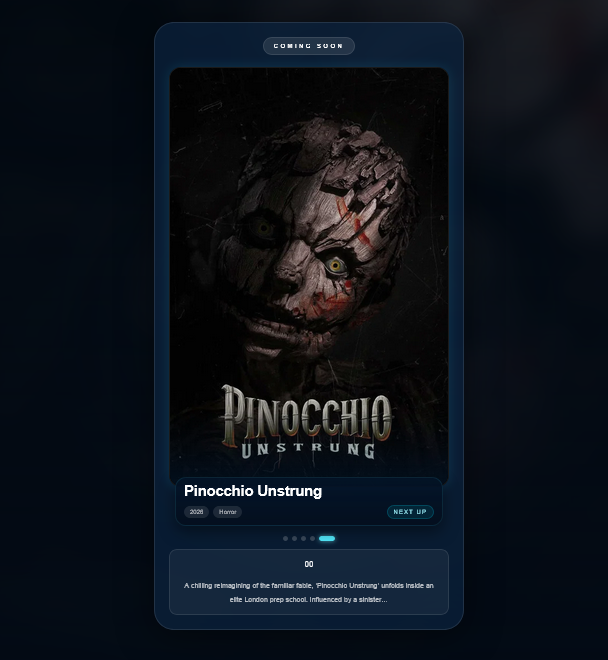
Automatic poster rotation keeps the room alive when nothing is playing.
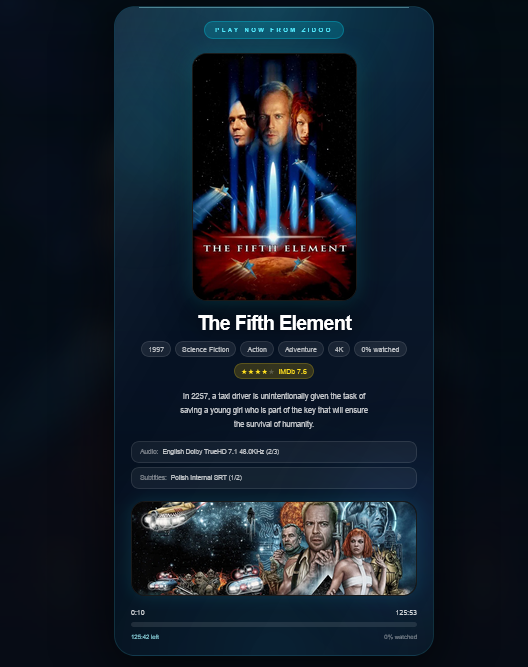
Clean readable layouts for wall screens, tablets, kiosks and Raspberry Pi browser displays.
Product overview
Poster Player is a dedicated home cinema poster display system. It turns a TV, tablet, monitor, Raspberry Pi browser or mini PC screen into a live Now Playing display for your cinema room.
When a movie is playing, Poster Player can show poster artwork, title, runtime, progress, rating, backdrop, audio and subtitle information where available.
When nothing is playing, the same browser-based display can switch to a Coming Soon poster rotation with movie artwork and metadata.
Use it on a dedicated cinema room screen, a tablet beside the seats, a TV browser display, a mini PC monitor or a Raspberry Pi kiosk display.
Use cases
Poster Player is built for people who want a clear, visual media room display without replacing their existing player, control system or cinema source.
Show what is playing on a dedicated screen outside the cinema room, beside the seating area, on a tablet, or on a portrait display.
Offer Poster Player as a premium visual add-on for home cinema installations, demo rooms and client showrooms.
Add a dedicated cinema room screen that feels intentional, useful and visually aligned with high-end media spaces.
Create a dedicated Now Playing screen that complements your media player instead of replacing it.
Use Coming Soon mode to keep idle displays useful and visually alive even when nothing is currently playing.
Run a browser-based display on tablets, TV browsers, mini PCs, monitors or Raspberry Pi kiosk displays.
From local source detection to browser display.
The display can be a normal browser. The lightweight local bridge runs inside the local network, detects playback/source status where available, and sends that state to Poster Player.
Set up Poster Player and prepare a display workspace for the cinema room or client installation.
Run the bridge on a Windows PC, mini PC, Raspberry Pi or local server inside the customer's network.
Add sources such as Zidoo, Apple TV, Spotify or TMDb, depending on what the setup supports.
Use a TV browser, tablet, monitor, mini PC screen or Raspberry Pi kiosk display.
Open the browser link directly or scan a QR code on the display device.
Poster Player shows live playback status when something is playing, or Coming Soon artwork when idle.
Coming Soon Mode
When your cinema is idle, Poster Player automatically switches to a cinematic Coming Soon rotation with posters, ratings, descriptions and smooth transitions.
Tune timing, rotation, display behaviour and visual style for each screen without needing powerful display hardware.
Idle screens rotate upcoming titles with poster art, metadata, ratings and synopsis cards.
Switches from Play Now to Coming Soon without touching the display device.
Use curated or upcoming movie artwork with smooth timing and transition controls.
Readable on portrait displays, tablets, TV browsers and Raspberry Pi kiosks.
Supported sources and integrations
Poster Player uses active integrations where they are available, and keeps prepared or roadmap sources clearly marked. Source depth can vary because each device and app exposes different data.
Designed for local playback detection and Now Playing displays, including movie title, artwork and playback progress where available.
Can use a local bridge to detect playback state and available metadata. Protected apps may limit metadata, so clean fallback states may be used.
Music playback display with album art, track information, progress, device and volume where available.
Enriches movie artwork, posters, backdrops and Coming Soon poster rotation.
Planned media server session and artwork support, depending on source access and customer setup.
Prepared around local Kodi JSON-RPC and web server style integration patterns.
Roadmap source for media server session detection and movie artwork enrichment.
Prepared for bridge-based app detection and playback information where the platform exposes it.
Roadmap direction for premium cinema source integration; not presented as full compatibility today.
Roadmap integration direction for installer-led cinema room setups and automation workflows.
Roadmap direction for automation status, source context and room display workflows.
Planned option for custom playback status events from installer or advanced user systems.
Clear expectations
Poster Player is focused on visual presentation and source detection. Clear limits make the system easier to specify for home cinema owners and AV installers.
Poster Player complements sources such as Zidoo or Apple TV with a separate display experience.
The product is designed around live playback status, movie artwork and metadata presentation.
Protected apps can limit what metadata is available, especially on Apple TV and streaming services.
The screen itself only needs a browser, display link or kiosk-style browser setup.
Some sources provide rich movie artwork and progress, while others provide only basic state.
Active, prepared and future sources are described separately so compatibility is not overstated.
Cloud + Local Bridge
Poster Player separates local device detection from the display experience, so one bridge can support multiple browser screens across a cinema installation.
The bridge runs inside the customer's network and talks to local devices.
Smart TV browser, tablet, monitor, Raspberry Pi kiosk, mini PC or dedicated wall display.
Use one setup for cinema room, lobby display, tablet preview or multiple zones.
Playback detection stays connected to the local network through the bridge.
The main platform can improve without every customer rebuilding a local app manually.
Display links and tokens can be controlled per customer and per number of screens.
Installed experience
Poster Player is made for the real spaces around the screen: cinema entrances, equipment walls, lobby displays and tablet control points.
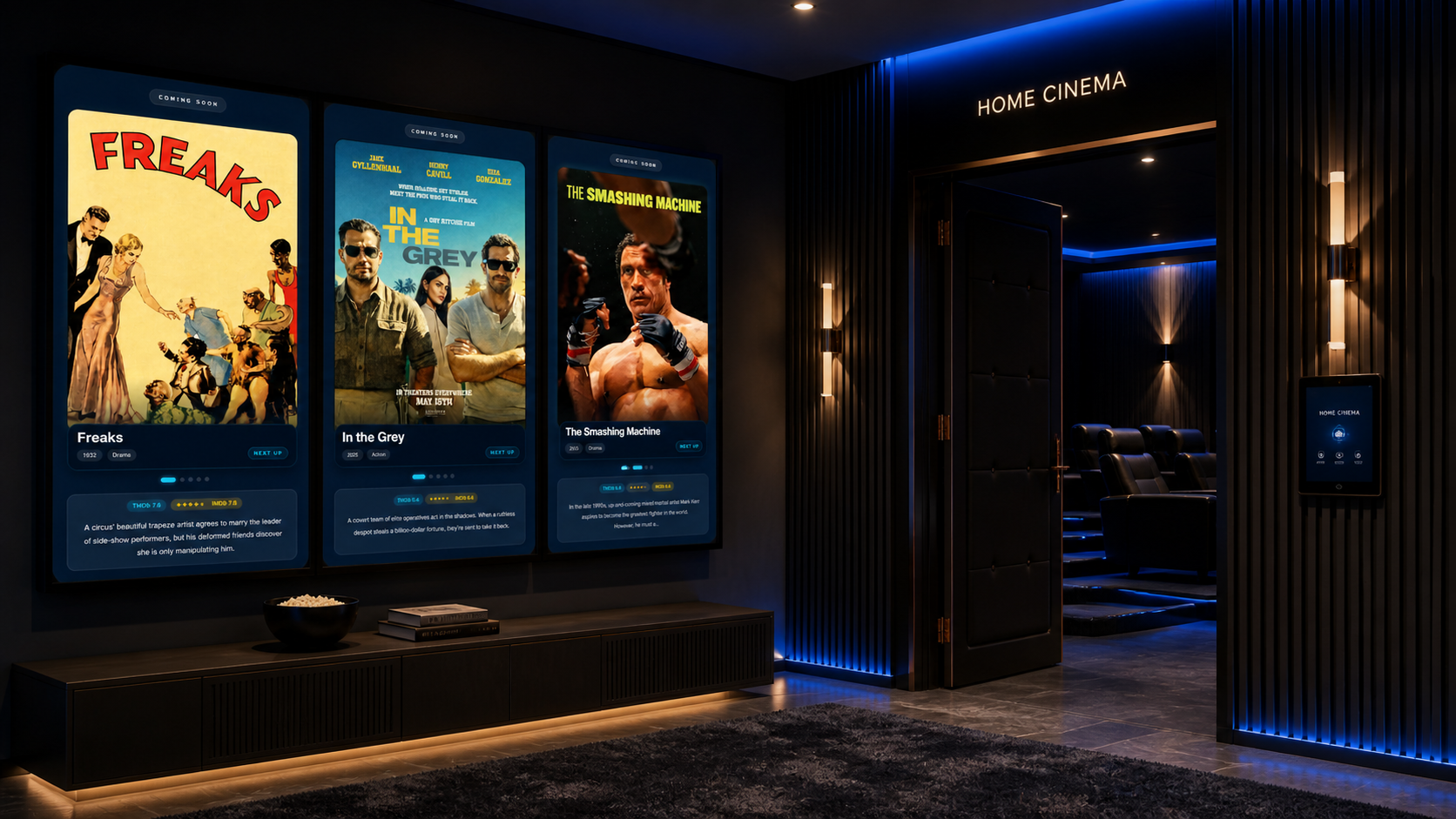
Use idle screens as a curated poster rotation for entrances, demo rooms and high-end media spaces.
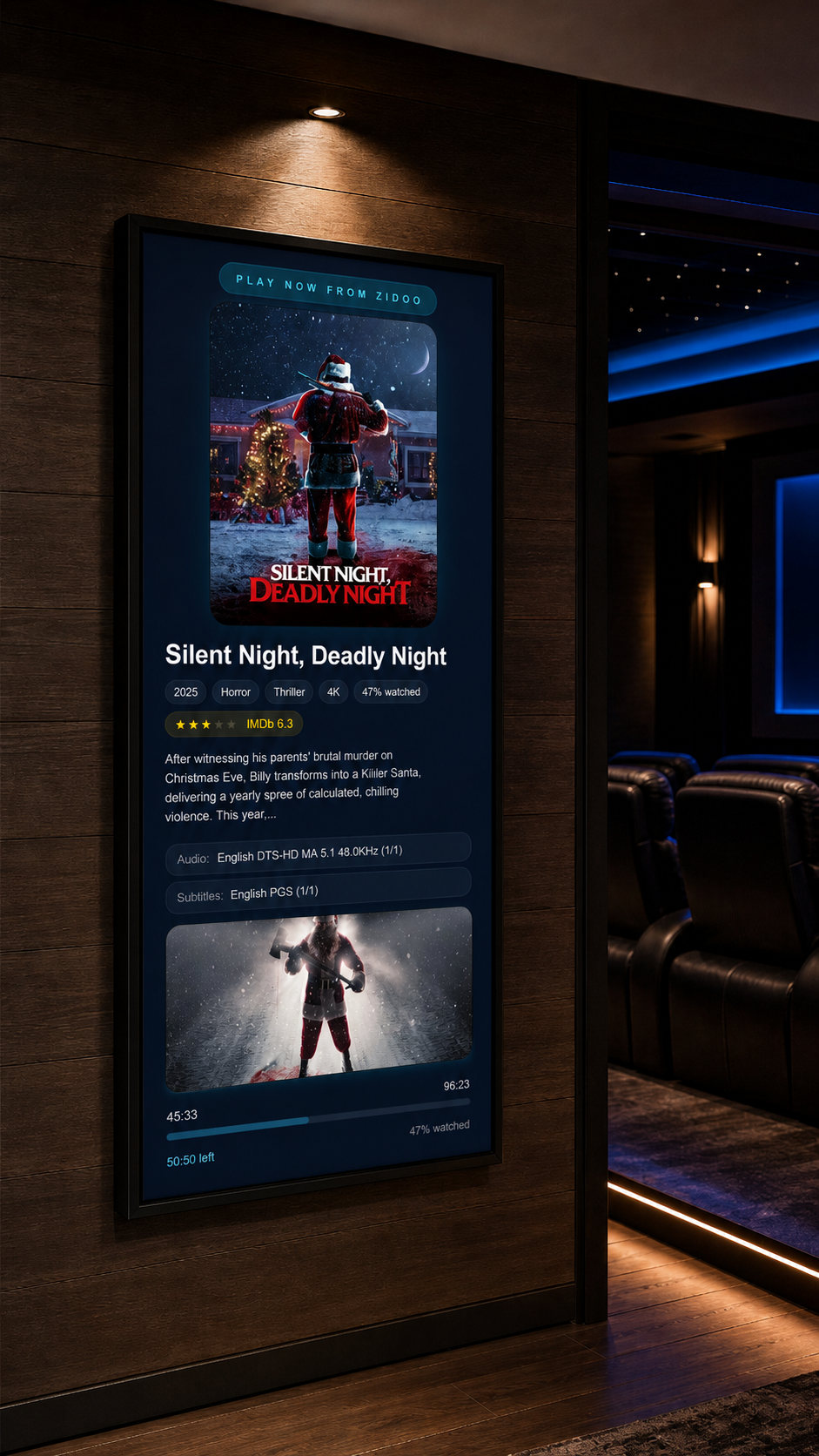
Live poster, metadata, rating, audio, subtitles and progress beside the theatre door.
Feature set
From playback detection to cinematic presentation, every view is designed for dedicated display hardware that only needs a browser.
Matches movie titles from file names, playback metadata and local source data.
Shows posters, backdrops, YouTube trailers and gallery rotation.
Live progress bar, time, paused state and Now Playing status.
Clean fallback views for Netflix, YouTube, Apple TV and apps that hide metadata.
Choose which source wins when several devices are active.
Fullscreen, hide cursor, clock, display scaling and screen behaviour.
Bridge connects locally, display runs through a secure cloud link.
Customer/admin settings for sources, display, bridge and priorities.
Screen-first interface
Optimized for portrait displays, tablets, TV browsers and dedicated home cinema screens.
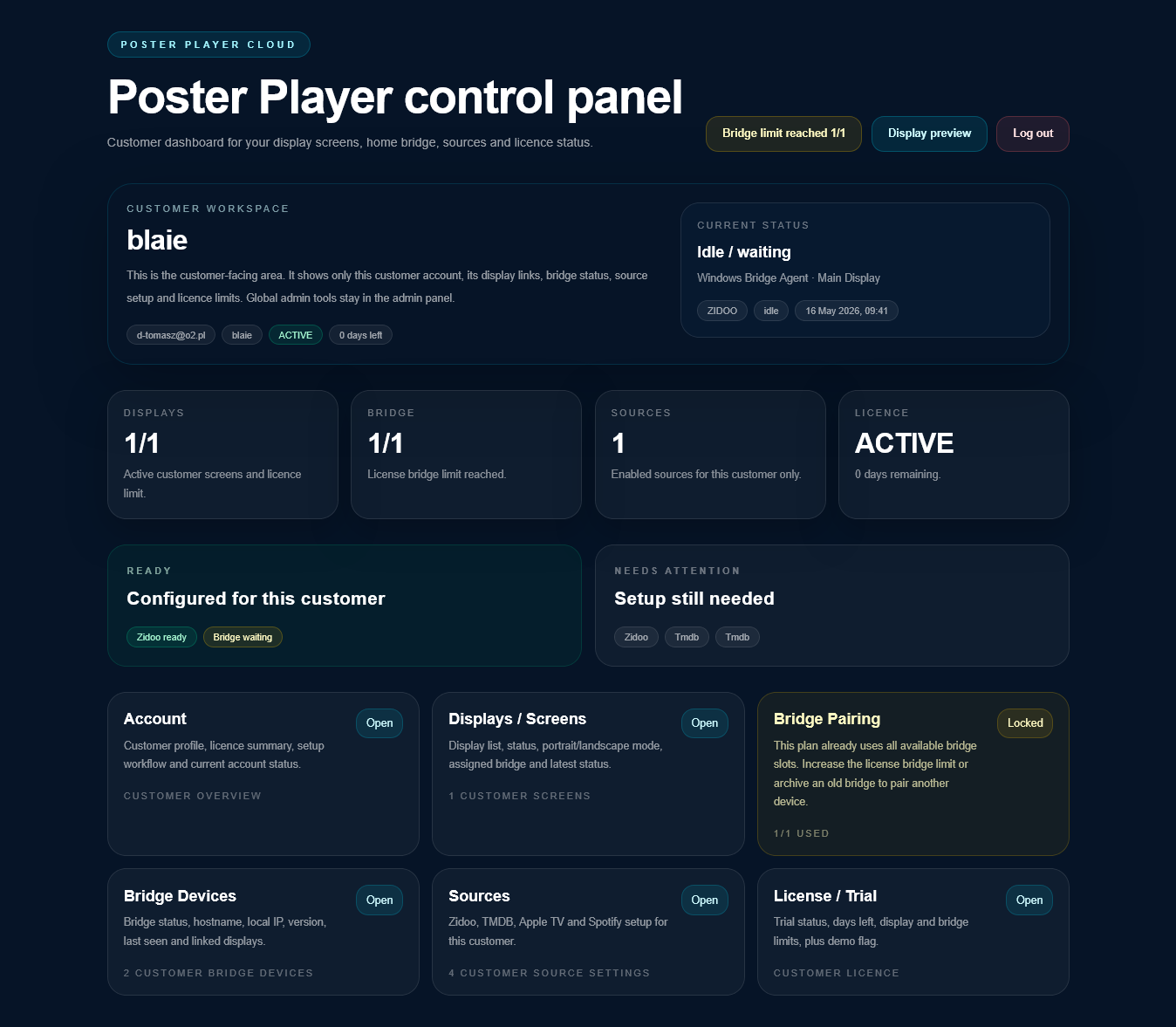
Customer control
Customers can manage screens, bridge connection, source settings and display behaviour from a clean dashboard.
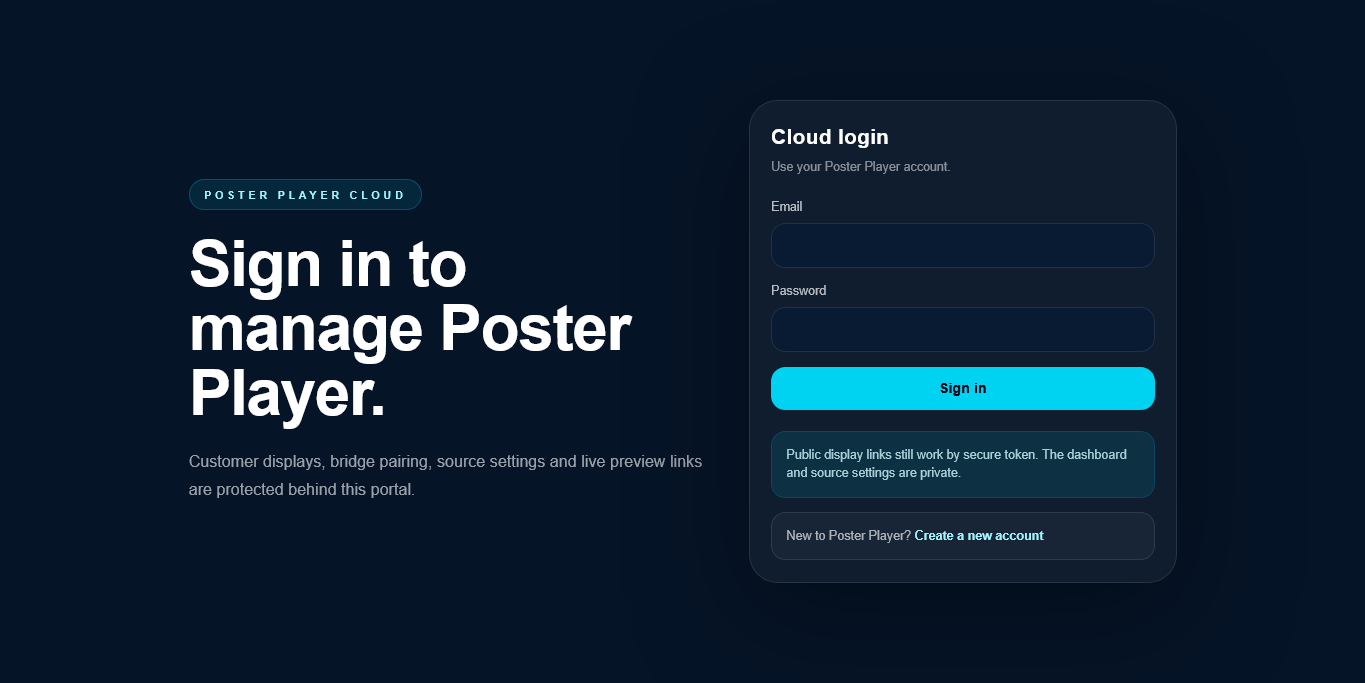
Customer displays, bridge pairing, source settings and live preview links stay behind the portal.
Customers see only their workspace, display links, bridge state, sources and active screen limits.
Use cases
Premium presentation for cinema rooms, demo spaces and high-end media installations.
Show what is playing on a dedicated poster display.
Offer a premium add-on display experience for cinema installations.
Show different screens or zones using display links.
Use Coming Soon mode as an elegant film poster rotation.
Make a movie library feel like a premium cinema experience.
Trial and plans
Plans can be based on number of active displays / screens. Bridge required for local device detection. No powerful screen hardware required.
Explore the full Poster Player experience before rolling it into a cinema room.
For one dedicated Now Playing display in a home cinema or media room.
For cinema, lobby, tablet preview and multiple display zones.
For AV professionals managing customer setups and premium installations.
Roadmap
Answers for search, setup and specification
Short, practical answers about the browser display, local bridge, supported sources and realistic limits around protected apps.
Poster Player is a browser-based Now Playing display system for home cinema rooms, media rooms and AV installers. It turns a screen into a live movie poster display with playback information and Coming Soon artwork.
No. The display only needs a browser. A lightweight local bridge handles source detection and sends the playback state to Poster Player.
Yes. Poster Player supports Zidoo playback detection through the local bridge and can show movie poster artwork, playback progress and related metadata where available.
Poster Player can use a local Apple TV bridge to detect available playback state and metadata. Some protected apps may limit what can be shown, so fallback views may be used.
Yes. Poster Player is designed for browser-based screens such as tablets, smart TV browsers, monitors, mini PCs and Raspberry Pi kiosk displays.
Poster Player can switch to Coming Soon mode and rotate movie posters, backdrops and related artwork.
Poster Player is designed with multi-screen use in mind, so different displays can be linked and managed depending on the customer setup.
Yes. AV installers can use Poster Player as a premium visual add-on for cinema rooms, showrooms and client installations.
No. Poster Player is focused on visual display and source detection. It does not need to control playback.
No. Poster Player does not bypass DRM or protected app restrictions. It uses available source data and fallback display modes where needed.
Knowledge base
These public guides explain the most common questions people ask when they search for a home cinema Now Playing display, movie poster screen or installer add-on.
Understand the screen, playback state and Coming Soon concept.
How to How to create a movie poster screenPlan a tablet, monitor, TV browser or Raspberry Pi kiosk display.
Zidoo Zidoo Now Playing displayUse Poster Player as a dedicated screen beside a Zidoo setup.
Apple TV Apple TV Now Playing displayLearn what a local bridge can detect and where protected apps can limit metadata.
Installers Poster Player for AV installersPosition Poster Player as an AV installer cinema room add-on.
Idle displays Coming Soon poster displayKeep demo rooms and cinema screens visually alive when idle.
Public docs
These docs explain how Poster Player works as a browser-based Now Playing display system with local bridge detection, supported sources and clear technical limitations.
Start with the public documentation index for customers and installers.
Sources Supported sourcesUnderstand Zidoo, Apple TV, Spotify, TMDb and planned integrations.
Bridge How the local bridge worksSee why Poster Player uses a lightweight local bridge inside the customer network.
Screens Screen pairingLearn the direction for QR codes, short codes and browser display setup.
Trust LimitationsRead honest notes about metadata, protected apps and local network requirements.
Roadmap Product roadmapSee the planned direction for more sources, installer tools and display workflows.
Comparison guides
These pages help people comparing poster display apps understand why Poster Player is different: browser-based screens, local bridge detection and multi-source home cinema support.
Compare Poster Player as a multi-source home cinema poster display direction.
Comparison Now Showing alternativeExplain Poster Player as a browser-based Now Playing and Coming Soon display.
Plex Plex poster display alternativePosition Poster Player for rooms that use more than one source.
Browser display Browser-based poster displayTurn tablets, TV browsers, monitors and mini PCs into cinema poster screens.
Core concept Multi-source Now Playing displayShow why source priority and local bridge detection matter in real cinema rooms.
Built for home cinema